Paso 2 de 10 · 2 minutos

Revisa tus lugares

Los lugares son dónde atiendes: un estudio, una oficina, en línea o a domicilio. Con la dirección o el enlace del mapa, tus clientes saben cómo llegar.

Abre Mi negocio

En la parte de arriba de Hoy, toca el botón «Mi negocio».
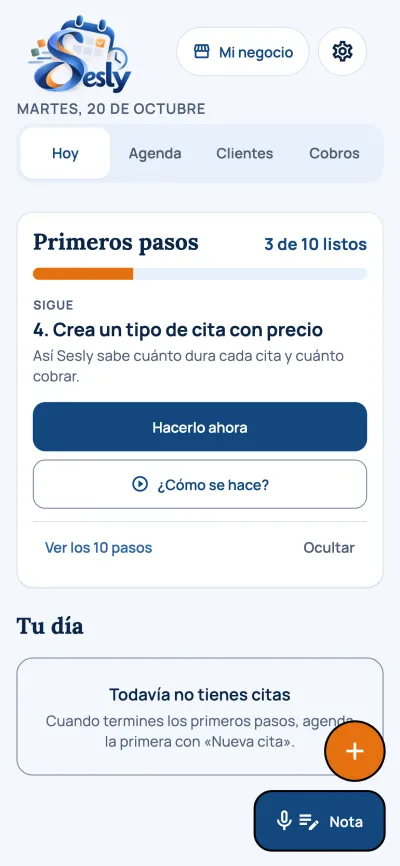
Captura de la app: Abre Mi negocio

Entra a Lugares

Está en el grupo «Dónde y cuándo atiendes».
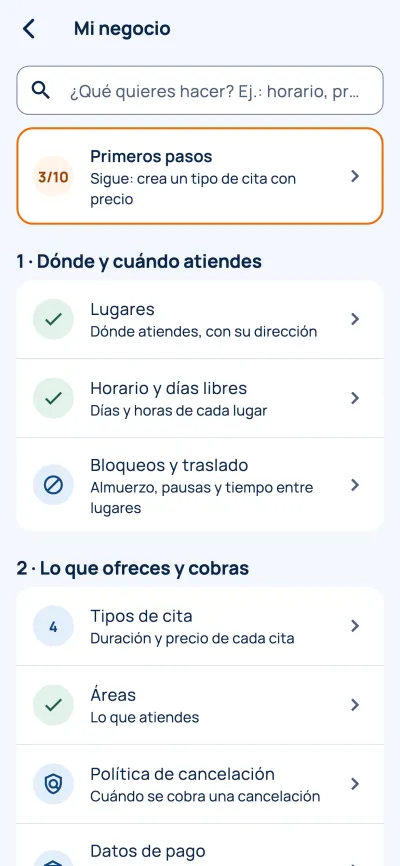
Captura de la app: Entra a Lugares

Agrega la dirección o el mapa

Toca un lugar o «Agregar lugar». Escribe el nombre y la dirección. Para el mapa, usa «Compartir» en Google Maps, Waze o Apple Maps y pega el enlace.
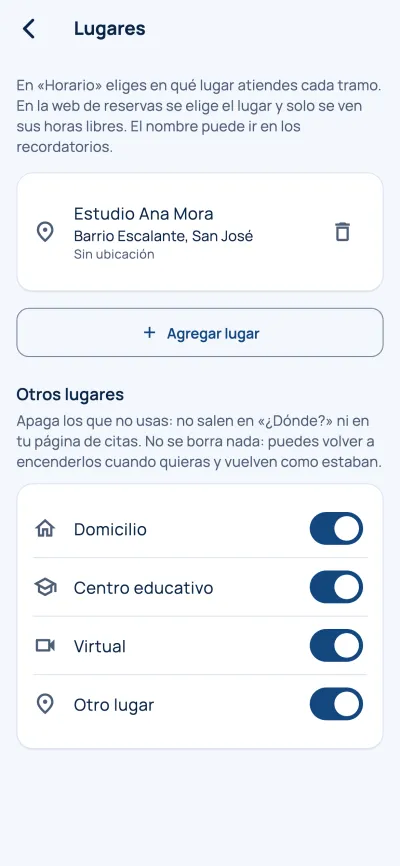
Captura de la app: Agrega la dirección o el mapa

Consejo: Puedes tener varios lugares. Cada uno lleva su propio horario.
Step 2 of 10 · 2 minutes

Check your locations

Locations are where you work: a studio, an office, online or at the client’s home. With the address or a map link, your clients know how to get there.

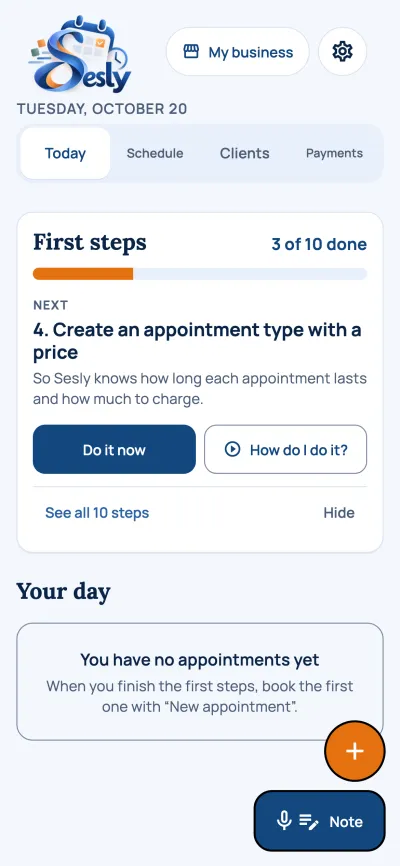
Open My business

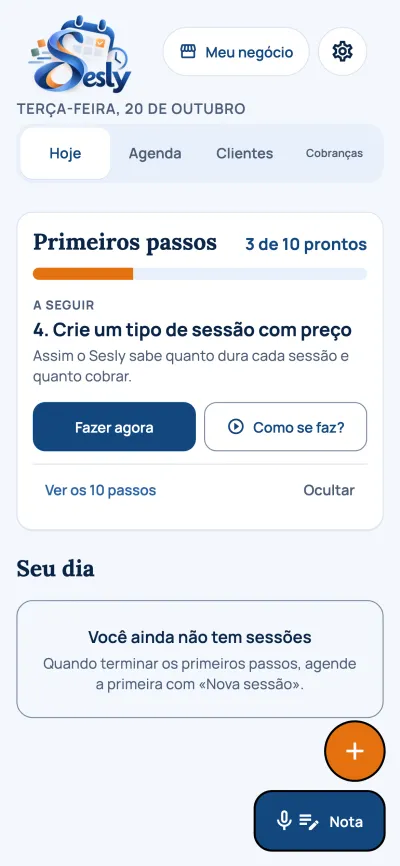
At the top of Today, tap the “My business” button.

App screenshot: Open My business

Go to Locations

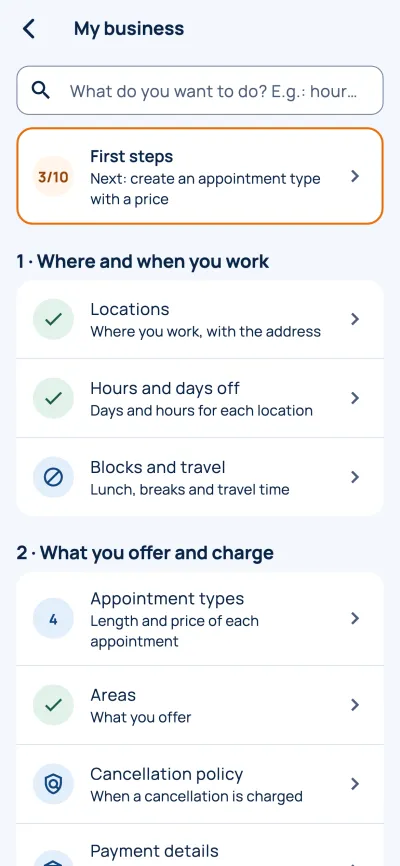
It is in the “Where and when you work” group.

App screenshot: Go to Locations

Add the address or the map

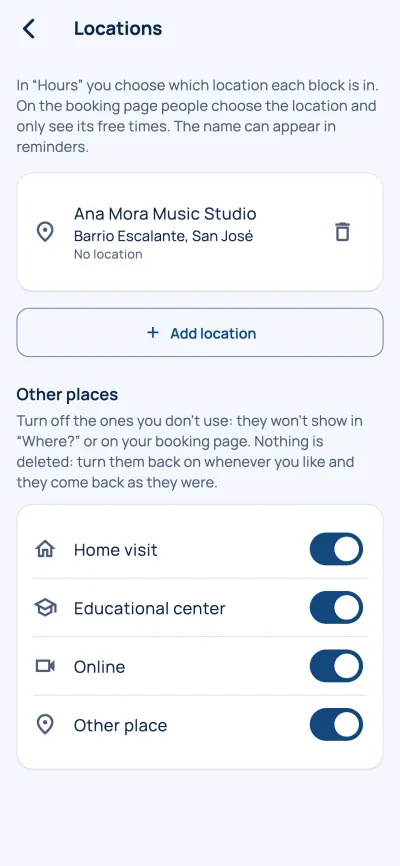
Tap a location or “Add location”. Write the name and the address. For the map, use “Share” in Google Maps, Waze or Apple Maps and paste the link.

App screenshot: Add the address or the map

Tip: You can have several locations. Each one has its own hours.

Passo 2 de 10 · 2 minutos

Revise seus locais

Os locais são onde você atende: um estúdio, um escritório, on-line ou em domicílio. Com o endereço ou o link do mapa, seus clientes sabem como chegar.

Abra Meu negócio

No alto de Hoje, toque no botão «Meu negócio».

Captura do app: Abra Meu negócio

Entre em Locais

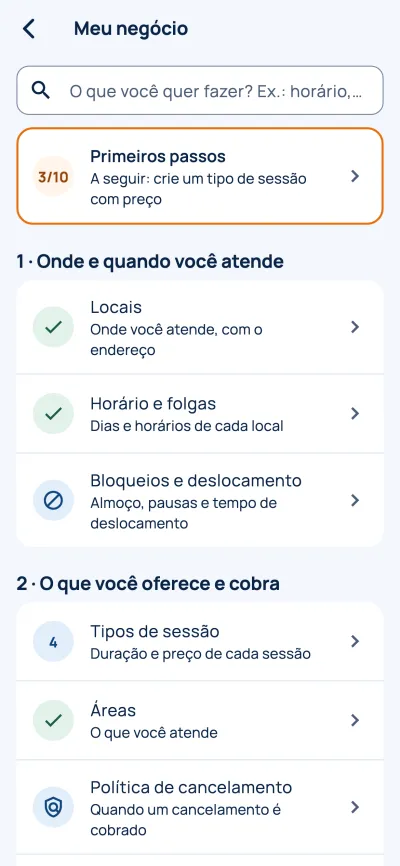
Fica no grupo «Onde e quando você atende».

Captura do app: Entre em Locais

Adicione o endereço ou o mapa

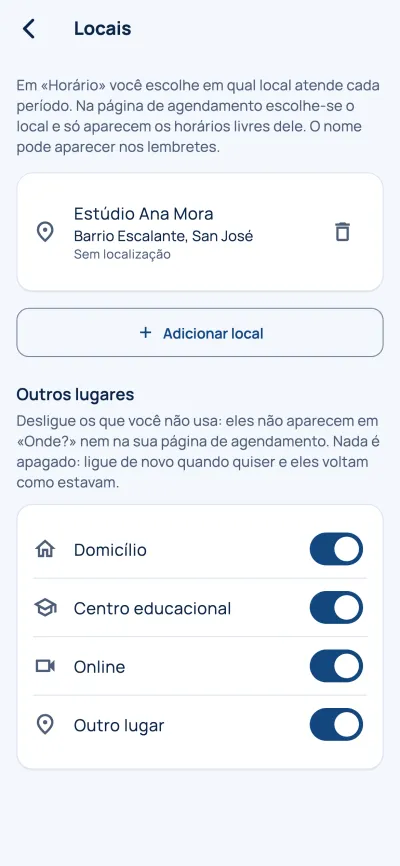
Toque em um local ou em «Adicionar local». Escreva o nome e o endereço. Para o mapa, use «Compartilhar» no Google Maps, Waze ou Apple Maps e cole o link.

Captura do app: Adicione o endereço ou o mapa

Dica: Você pode ter vários locais. Cada um tem o próprio horário.

Étape 2 sur 10 · 2 minutes

Vérifiez vos lieux

Les lieux sont là où vous travaillez : un studio, un bureau, en ligne ou à domicile. Avec l’adresse ou le lien du plan, vos clients savent comment venir.

Ouvrez Mon activité

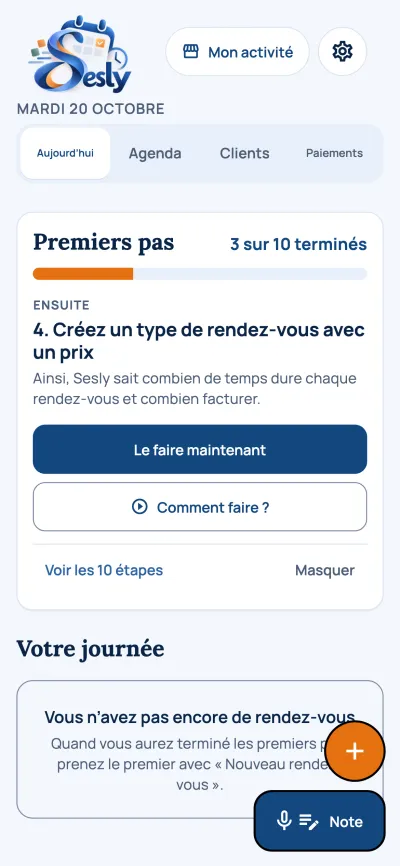
En haut d’Aujourd’hui, touchez le bouton « Mon activité ».

Capture de l’application : Ouvrez Mon activité

Allez dans Lieux

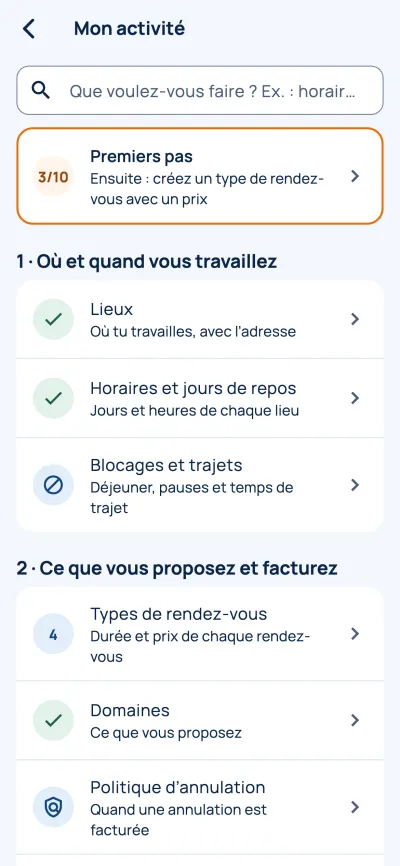
C’est dans le groupe « Où et quand vous travaillez ».

Capture de l’application : Allez dans Lieux

Ajoutez l’adresse ou le plan

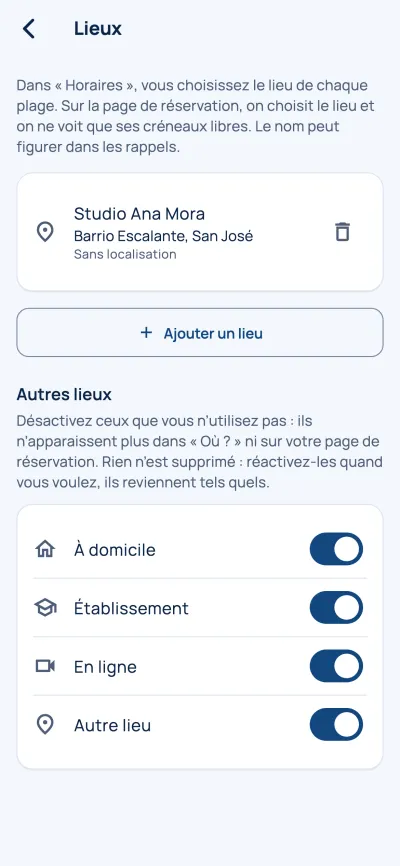
Touchez un lieu ou « Ajouter un lieu ». Écrivez le nom et l’adresse. Pour le plan, utilisez « Partager » dans Google Maps, Waze ou Plans d’Apple et collez le lien.

Capture de l’application : Ajoutez l’adresse ou le plan

Conseil : Vous pouvez avoir plusieurs lieux. Chacun a ses propres horaires.